

Finding the right tool can make almost any task easier. Whether you are running a small business, creating content, managing a website, studying, working remotely, or building an online project, specialized tools can help you save time and work more efficiently.
The challenge is that there are thousands of tools available online. Many offer similar features, while others are designed for very specific tasks. Choosing the right option can feel confusing, especially when you are unsure what features actually matter.
That is where niche tools become useful.
Niche tools are designed to solve specific problems for particular users, industries, or tasks. Instead of trying to do everything, they often focus on doing one job well.
This guide explains what niche tools are, why they matter, how to choose them, and which categories can help with different needs.
What Are Niche Tools?
Niche tools are specialized software, platforms, websites, or resources created for a particular purpose.
A general productivity app may help you manage many types of tasks, while a niche tool might focus specifically on keyword research, invoice creation, image compression, website testing, financial calculations, or social media scheduling.
The advantage of specialization is focus.
A niche tool may provide features that general-purpose software does not offer. This can make it particularly valuable when you have a specific problem to solve.
Why Niche Tools Are Useful
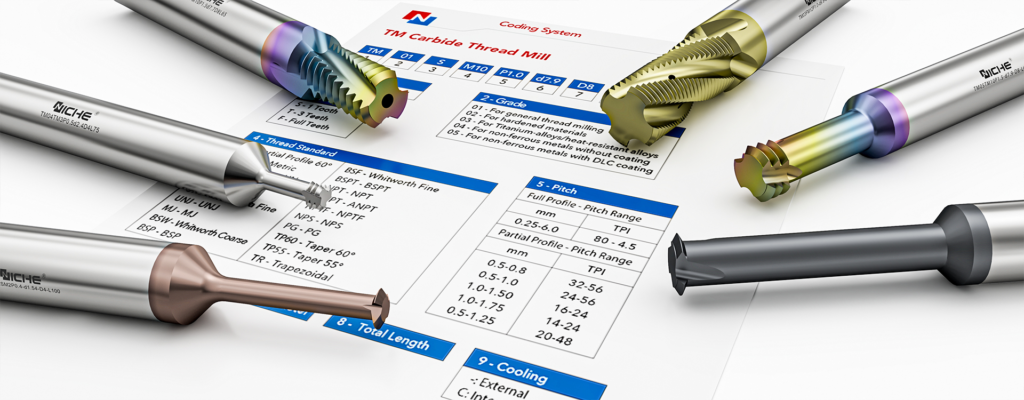
The right specialized tool can reduce repetitive work and improve your workflow.
Instead of manually completing every step, you may be able to automate part of the process or organize information more efficiently.
Niche tools can help with:
- Saving time
- Reducing repetitive tasks
- Improving accuracy
- Organizing information
- Creating professional content
- Analyzing data
- Managing projects
- Improving online visibility
- Supporting business operations
The key is to choose tools based on your actual needs rather than collecting tools simply because they are popular.
Tools for Content Creators
Content creators often need several different types of tools.
Writing tools can help with brainstorming, editing, research, and organization. Graphic design platforms can help create images and social media graphics. Video editors can help produce short-form or long-form content.
Useful categories include:
- Writing and editing tools
- Graphic design platforms
- Video editing software
- Audio recording tools
- Content calendars
- Image optimization tools
- Research platforms
A creator does not need every tool available. A small collection that covers writing, design, publishing, and organization may be enough.

Website owners and marketers often use specialized SEO tools to understand search visibility and improve website performance.
SEO tools can help with keyword research, technical website analysis, backlink monitoring, content planning, and competitor research.
Important categories include:
- Keyword research tools
- Rank tracking platforms
- Website audit tools
- Page speed testing
- Backlink analysis
- Content optimization
- Search performance monitoring
SEO tools should support a broader strategy rather than replace thoughtful content and a good user experience.
Tools for Social Media Management
Managing multiple social media accounts can take considerable time.
Social media tools can help users schedule posts, organize content, monitor engagement, analyze performance, and manage publishing workflows.
These tools are especially useful for businesses and creators who maintain a consistent publishing schedule.
Before choosing one, check which platforms it supports and whether the features match your workflow.
Tools for Small Businesses
Small businesses often need to manage many tasks with limited resources.
Specialized tools can support areas such as:
- Invoicing
- Accounting
- Customer management
- Scheduling
- Email marketing
- Project management
- Team communication
- Inventory management
- Online payments
The best tool depends on the business model.
A freelancer may need invoicing and project management, while an online store may need inventory and customer management tools.
Finance and Budgeting Tools

Finance tools can make money management easier.
Individuals may use budgeting tools to track spending, monitor savings, organize bills, or plan financial goals.
Businesses may use accounting platforms to manage invoices, expenses, cash flow, and financial reporting.
When choosing financial software, security and privacy should be major considerations.
Never enter sensitive financial information into an unfamiliar platform without checking its credibility and security practices.
Productivity and Time Management Tools
Productivity tools can help you organize tasks and manage your time.
Common categories include:
- To-do list apps
- Calendar tools
- Time trackers
- Project management platforms
- Note-taking software
- Focus tools
- Automation platforms
A useful productivity system should make your work easier, not create more administration.
Start with a simple workflow and add tools only when they solve a clear problem.
Tools for Students
Students can benefit from niche tools designed for learning and organization.
Useful categories include note-taking apps, citation tools, language-learning platforms, flashcard systems, study planners, and educational resources.
These tools can help students organize information and create better study routines.
However, technology should support learning rather than replace it.
Students should still understand the material and follow academic integrity rules when using AI or other digital tools.
Tools for Designers

Designers often work with specialized software for creating visual content.
Depending on the type of design, useful tools may include:
- Graphic design software
- UI and UX platforms
- Prototyping tools
- Photo editing applications
- Illustration software
- Typography resources
- Color and accessibility checkers
The right tool depends heavily on the project.
A web designer, illustrator, and video creator may all need very different software.
Tools for Developers
Developers use specialized tools throughout the software development process.
These can include code editors, version control platforms, testing tools, debugging software, API tools, database management systems, and deployment platforms.
The best development tools depend on the programming language, project requirements, team size, and technology stack.
Before adopting a new tool, consider compatibility with your existing workflow.
Tools for Online Businesses
Online businesses often require tools for different parts of the customer journey.
You may need tools for website building, email marketing, customer support, payments, analytics, product management, and automation.
A small business can start with essential tools and expand its technology stack as the company grows.
Avoid paying for advanced features you do not currently need.
Tools for Research
Research tools can help users collect, organize, and evaluate information.
Depending on the project, useful resources may include search platforms, academic databases, citation managers, survey tools, data analysis software, and note-taking systems.
When conducting research, always evaluate the credibility of sources.
A specialized research tool may help you find information faster, but you still need to verify important claims and consider the quality of the source.
AI-Powered Niche Tools
Artificial intelligence has created a growing category of specialized tools.
Instead of using AI only for general conversations, people can now find tools designed for specific tasks such as writing, image creation, transcription, coding assistance, customer service, data analysis, and workflow automation.
AI tools can save time, but they should be used thoughtfully.
Check generated information for accuracy, avoid sharing sensitive information unnecessarily, and make sure your use of AI follows relevant policies and regulations.
Automation Tools
Automation tools are useful when you repeatedly perform the same steps.
For example, an automation platform may connect different applications so that an action in one system triggers another action elsewhere.
Automation can be useful for:
- Email workflows
- Data transfers
- Notifications
- Lead management
- Social media tasks
- Customer follow-ups
- Reporting
Start by automating simple repetitive processes.
Before automating an important workflow, test it carefully to make sure errors do not create larger problems.
Free vs. Paid Niche Tools
Many specialized tools offer free plans, trials, or limited versions.
Free tools can be excellent for beginners or people testing a new workflow.
Paid tools may offer advanced features, greater storage, additional integrations, or higher usage limits.
Before paying, ask yourself whether the tool solves a problem that is important enough to justify the cost.
A free tool that meets your needs may be better than an expensive platform filled with features you never use.
How to Choose the Right Niche Tool
Choosing the right tool starts with identifying the problem.
Ask yourself:
- What task am I trying to improve?
- How often do I perform this task?
- Which features are essential?
- Does the tool integrate with my existing software?
- Is it easy to learn?
- What does it cost?
- How secure is it?
- Can it grow with my needs?
Answering these questions can narrow down your options quickly.
Check Integrations
Integrations can make a major difference.
A tool may be excellent by itself but less useful if it does not connect with the software you already use.
Check whether it supports your existing email platform, calendar, website, payment system, customer database, project management system, or other important services.
Good integrations can reduce manual data entry and make your overall workflow more efficient.
Consider Ease of Use
A tool with hundreds of features is not necessarily better.
If the software is difficult to understand, you may spend more time learning it than benefiting from it.
Look for a clear interface, helpful documentation, tutorials, and reliable customer support.
If possible, use a free trial or demo before purchasing.
Think About Security and Privacy
Security should never be overlooked.
Before using a niche tool, review its privacy policy and security information.
Be especially careful when a service handles customer information, financial data, passwords, business documents, or other sensitive information.
Use strong passwords and multi-factor authentication where available.
Only provide the access permissions the tool actually needs.
Avoid Tool Overload
One of the biggest problems with modern technology is having too many tools.
You may start with one app for tasks, another for notes, another for communication, another for scheduling, and another for reporting.
Eventually, managing the tools becomes a task itself.
Keep your technology stack as simple as possible.
If two tools perform the same job, consider whether you actually need both.
Review Tools Regularly
Your needs change over time.
A tool that was perfect when you started a project may no longer be useful after your workflow grows.
Every few months, review your subscriptions and software.
Ask:
- Am I still using this tool?
- Does it save enough time to justify its cost?
- Do I need all of its features?
- Is there a simpler alternative?
- Does it still integrate with my current workflow?
Removing unnecessary tools can reduce costs and simplify your work.
Build a Personalized Tool Stack
There is no single list of perfect tools for everyone.
A content creator may need writing, design, video, and social media tools.
A freelancer may prioritize project management, invoicing, communication, and scheduling.
A small online store may need inventory, payments, customer support, analytics, and marketing tools.
Build your tool stack around your specific needs.
Start small, test new options, and keep only the tools that provide clear value.
The Future of Niche Tools

Specialized software is likely to become even more personalized.
AI, automation, cloud computing, integrations, and data analysis are making it possible to create tools that address increasingly specific problems.
This could help individuals and businesses complete specialized tasks faster without needing large teams or complicated systems.
However, more choices will also make tool selection more challenging.
The ability to evaluate software based on usefulness, cost, security, privacy, and reliability will become increasingly important.
FAQ’s
1. What are niche tools?
Niche tools are specialized software or resources designed to solve specific tasks or industry needs.
2. Why should I use niche tools?
They can help save time, simplify specialized tasks, improve efficiency, and support better workflows.
3. How do I choose the right niche tool?
Consider its features, price, ease of use, security, integrations, and your specific needs.
4. Are free niche tools useful?
Yes. Free tools can be helpful for basic tasks, testing, or users with limited requirements.
5. Can niche tools improve productivity?
Yes. The right specialized tools can automate repetitive work and help you organize tasks more efficiently.