
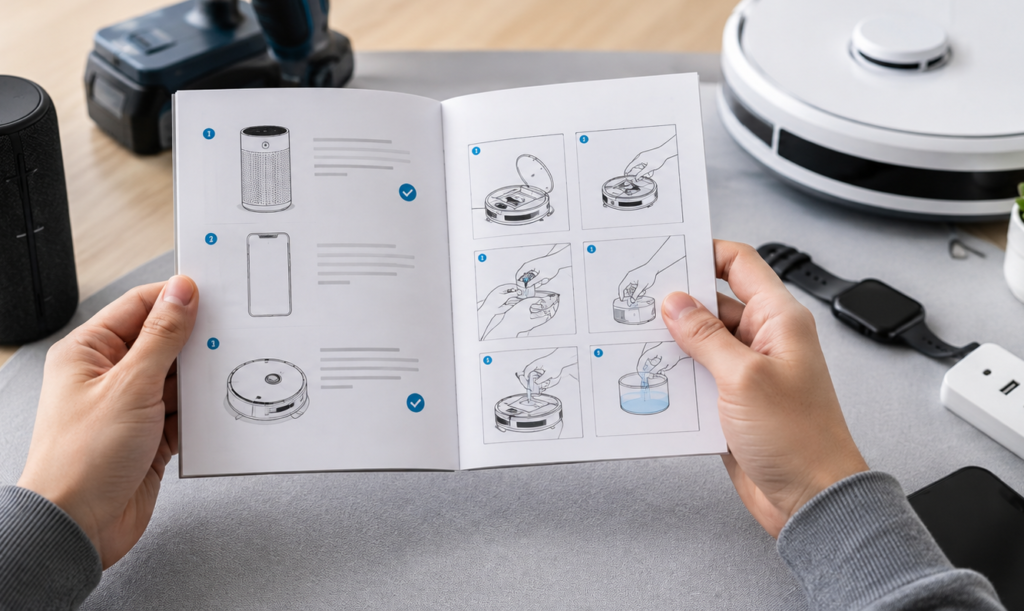
We’ve all got that one drawer or shelf. You know the one: where that shiny new air fryer, high-tech massage gun, or smart watch goes to die after two days of excitement and one confusing error light. You buy it with the best intentions, hit a minor snag during setup, get tired of squinting at a user manual written like a legal contract, and quietly give up.
Modern gear is packed with cool capabilities, but nobody has time to decode 80-page manuals just to make a morning coffee or connect a pair of headphones.
Getting real value out of what you buy isn’t about memorizing fine print—it’s about setting up a smooth, low-stress routine from day one so your purchases actually make your life easier instead of just cluttering your home.
Why Taking Ten Minutes to Master Your Gear Pay Off
Giving a new purchase a little extra attention upfront pays off almost instantly:
- Your Stuff Lasts Years Longer: Proper setup, basic cleaning, and sensible storage stop accidental damage before it happens.
- You Save Time and Daily Headaches: Understanding core controls gets rid of the guesswork that leads to burnt meals, glitched gadgets, or ruined laundry.
- You Unlock Hidden Features: Most people only ever use about 20% of what a product can actually do. Tapping into the rest turns a decent purchase into a daily essential.
- You Keep Money in Your Pocket: Getting full use out of what you already own stops you from buying unnecessary replacements or paid upgrades down the line.
Phase 1: Unboxing Without the Frustration
The first ten minutes with a new item determine whether you’ll use it every day or forget it exists. Rushing the assembly or ripping open bags without looking is where most problems begin.
                   EASY SETUP WORKFLOW
┌─────────────────────────────────────────────────────────────┐
│ 1. CLEAR A WORKSPACE  --> Spread out parts where you can see│
├─────────────────────────────────────────────────────────────┤
│ 2. DO A PARTS COUNT   --> Verify components before building │
├─────────────────────────────────────────────────────────────┤
│ 3. CHARGE IT TO 100%  --> Power battery devices before test │
├─────────────────────────────────────────────────────────────┤
│ 4. STASH THE BOX      --> Keep packaging for 30 days        │
└─────────────────────────────────────────────────────────────┘
Give Yourself Space
Before cutting the tape, clear off a wide table or a spot on the floor. Spread out all the parts, cords, attachments, and quick-start guides side-by-side so you aren’t hunting for a missing piece in a pile of plastic wrap.

Check what’s sitting on your table against the “In the Box” diagram. Spotting a missing rubber seal, wall adapter, or mounting screw right away saves you from getting stuck halfway through assembly.
Charge Before You Try
If it has a battery, resist the urge to turn it on immediately. Devices usually ship with a partial “storage charge” that drains fast. Plug it in and bring it to 100% before its first real run—this also helps calibrate internal battery sensors.
Keep the Box in a Closet for 30 Days
Don’t throw out the box right away. Tuck the packaging, foam inserts, and receipt in a closet for a month. If the unit turns out to be a lemon, needs a software fix, or just doesn’t fit your daily routine, having the intact box makes returns painless.
Phase 2: Everyday Usage Essentials
Different types of gear come with their own little quirks. Here’s how to handle common everyday categories so everything runs smoothly from day one.
1. Kitchen & Home Appliances

Blenders, espresso machines, air fryers, and multi-cookers often get banished to cabinets because of tricky controls or tedious cleanups.
- Run a water-only test cycle: For anything handling heat or water (like coffee makers, steamers, or electric kettles), run a full cycle with plain water first. This flushes out factory dust and lets you test the controls without wasting food.
- Respect capacity limits: Don’t crowd heating elements or jam blender jars to the top. Overfilling blocks proper heat or air circulation, giving you uneven results and straining the motor.
- Rinse immediately after use: Wash removable parts right away. Dried-on food forces you to scrub hard later, which eventually ruins non-stick coatings and delicate silicone seals.
2. Personal Tech & Smart Devices
Smartphones, noise-canceling headphones, fitness bands, and smart home hubs are loaded with settings most people never see.
- Open the companion app: Most modern tech pairs with a phone app. Spend five minutes exploring it—this is usually where you’ll find custom sound profiles, battery-saving modes, button remapping, and firmware updates.
- Enable auto-updates: Keep software up-to-date. Firmware patches fix annoying glitches, patch security holes, and frequently add brand-new features months after you bought the device.
3. Fitness & Wellness Gear

From massage guns and smart scales to resistance bands and foam rollers, using recovery tools incorrectly can leave you sore instead of refreshed.
- Start low, go slow: Always start massage tools or recovery gear on the lowest speed or resistance level. Let your body adjust before turning up the intensity.
- Keep sensors clean: Fitness trackers rely on clear optical sensors touching your skin. Wipe the sensor glass down with a soft microfiber cloth regularly to keep heart rate and sleep tracking accurate.
Common Habits That Secretly Ruin Great Products
Even well-built items break down fast if they suffer from everyday user errors:
| Product Type | Common Mistake | What to Do Instead |
|---|---|---|
| Electronics | Using cheap, uncertified wall chargers | Stick to certified chargers matching exact voltage specs |
| Cookware | Rinsing hot non-stick pans under cold water | Let pans cool completely to prevent warping and peeling |
| Appliances | Forgetting to clean out dust/lint filters | Clear filters monthly so motors stay cool and efficient |
| Grooming | Storing razors or trimmers in a wet shower | Keep tools in a dry spot to stop rust and battery degradation |
Phase 3: Long-Term Care & Simple Troubleshooting
Setting things up properly is step one; a little routine maintenance keeps your gear running like new for years.
                 SIMPLE MAINTENANCE TIMELINE
┌─────────────────────────────────────────────────────────────┐
│ WEEKLY   --> Quick surface wipe-down & basic filter check   │
├─────────────────────────────────────────────────────────────┤
│ MONTHLY  --> Deep clean, decalcify, or inspect moving parts │
├─────────────────────────────────────────────────────────────┤
│ ANNUALLY --> Replace worn gaskets, dull blades, or batteries│
└─────────────────────────────────────────────────────────────┘
When Things Act Up: A Quick Troubleshooting Checklist
Before assuming a device is dead or calling customer service, try this simple three-step check:
- Do a Hard Reset: Turn the device completely off, unplug it or disconnect the battery, wait a full minute, and power it back on. This simple step clears out minor digital bugs.
- Check the Wear Points: Look over power cords for frays, inspect rubber gaskets for cracks, and clear dust out of air vents.
- Search Online FAQ Forums: Print manuals are limited by page count, but manufacturer support pages and video forums are packed with quick fixes for specific error codes and blinking lights.
Focus on Using What You Already Own
At the end of the day, the things you buy should serve your daily life, not take up space or add extra stress to your home.
Before you assume something isn’t working right and start shopping for a replacement, spend 15 minutes checking the settings, cleaning out dust, or watching a quick video tutorial on advanced features. More often than not, the gear sitting on your shelf is completely ready to do the job—saving you money and making every purchase feel well worth it
FAQ’s
1. What are product usage guides?
They provide simple instructions and tips for using products correctly and effectively.
2. Why should I follow a usage guide?
It can help you understand features, avoid mistakes, and get better results.
3. What do usage guides usually include?
They may cover setup, operation, maintenance, safety, and troubleshooting.
4. Are usage guides helpful for beginners?
Yes, they explain important steps in a simple and easy-to-follow way.
5. Where can I find reliable usage instructions?
Check the product manual, official website, or trusted support resources.